
This article explains how to create a reseller account or convert an end-user account into a reseller on a Linux dedicated server with cPanel/WHM.
Introduction
Linux dedicated servers with cPanel allow you to set up reseller plans. Each reseller has their own administrative panel (reseller WHM) from which they can create accounts for end users. These accounts include cPanel for everyday tasks: email, DNS, pointed domains, databases, etc.
Access: All operations in this article are performed from WHM with the root user, at https://your-domain-or-ip:2087.
Create a reseller account (new)
- Log in to WHM with the
rootuser. - Go to Account Functions → Create a New Account.
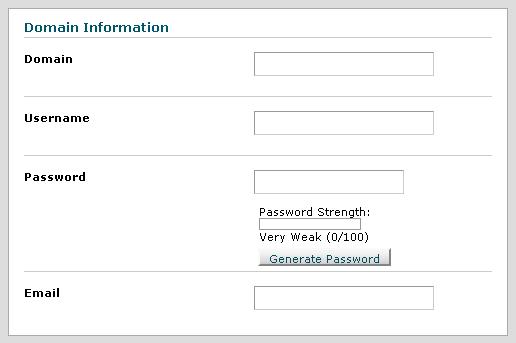
- Fill in the domain and account information:
| Field | What to enter |
|---|---|
| Domain | Main domain name for the account, without www. |
| Username | Account username (maximum 8 characters). |
| Password | Secure password. Use WHM's automatic generator for a strong password. |
| Important: email where WHM will send disk space and exhausted transfer alerts. |
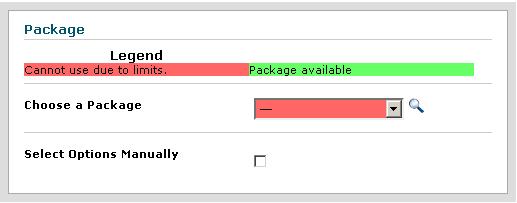
Assign service package
You can choose a previously created package or define the resources manually with Select Options Manually.
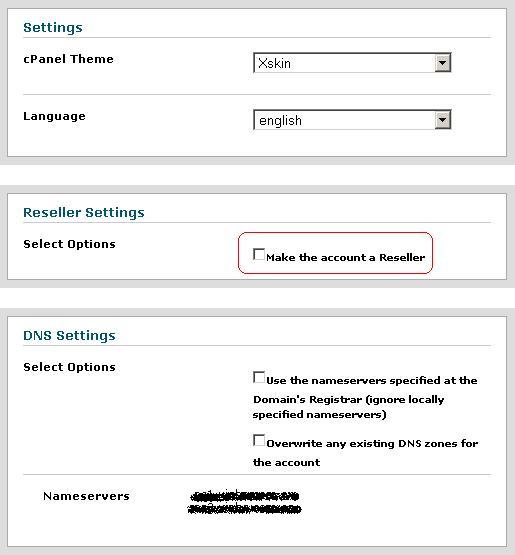
Additional configurations
| Option | Description |
|---|---|
| cPanel Theme | cPanel visual theme for the account. |
| Language | Panel language. |
| Make the account a Reseller | Check this option to create the account directly as a reseller. Afterwards, it is advisable to define its limits (see the conversion section below). |
| Use the nameservers [...] | Creates the DNS zone with the domain's current nameservers. Do not enable it if the domain does not yet point to your server's DNS: the site may become inoperable. |
When you complete all fields, click Create.
Convert an existing account into a reseller
If you already have an end-user account and want to grant it reseller privileges:
Step 1 — Add reseller privileges
- Log in to WHM with
root. - Go to Resellers → Reseller Center.
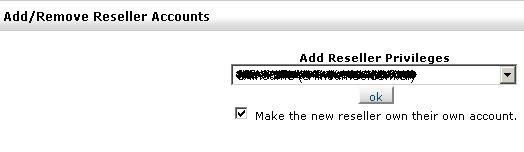
- Under Add Reseller Privileges, choose the user to convert.
- Check Make the new [...] a reseller to include the account in the reseller plan.
- Click OK.
Step 2 — Edit privileges and limits
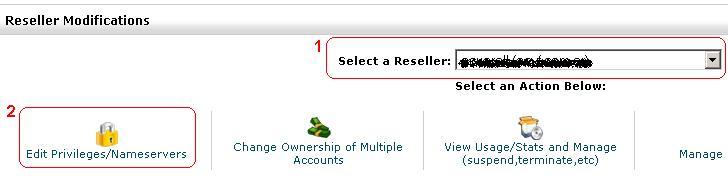
- Under Select a Reseller, choose the account you just promoted.
- Click Edit Privileges / Nameservers to define limits and permissions.
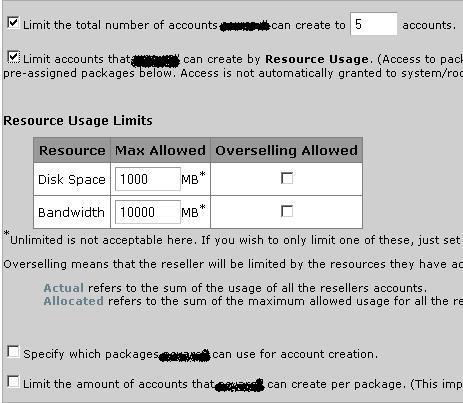
Resource limits
| Option | Function |
|---|---|
| Limit the total number [...] | Maximum number of accounts the reseller can create (e.g. 5). |
| Limit accounts that [...] | Applies resource limits to the reseller's accounts. |
| Disk Space | Total space available for all their accounts. |
| Bandwidth | Total transfer assigned to the reseller. |
| Specify which packages [...] | Restricts which predefined packages the reseller can use. |
| Limit the amount [...] | Limit of accounts per package that the reseller can create. |
Overselling Allowed: Allows assigning more resources to the reseller's accounts than purchased; the real limit is applied when total usage is reached. It is recommended not to enable overselling unless you fully understand the risk of server saturation.
Reseller ACL permissions
The remaining options define which functions the reseller can use in their WHM (create accounts, suspend, manage DNS, etc.). Configure them according to the level of autonomy you want to grant:
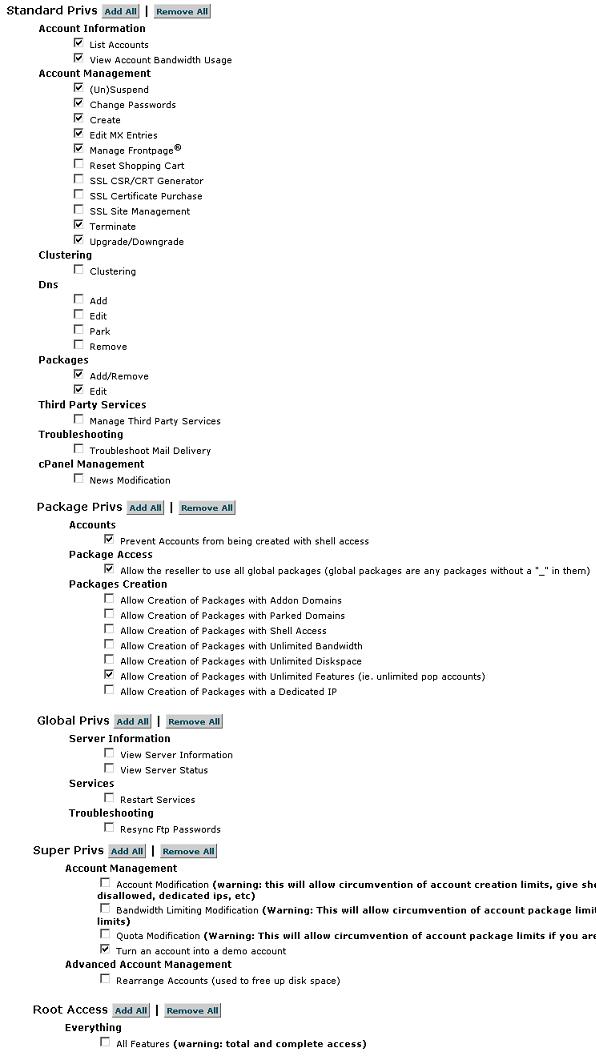
Save changes when finished.
After creating the reseller
- Provide the reseller with the access URL (
https://your-domain-or-ip:2087), username, and password. - Verify that they can create a test account within their limits.
- Check that the alert email is correct to receive quota notices.
Frequent issues
- The domain does not resolve after creating the account: you probably enabled Use the nameservers without having the domain delegated to your DNS.
- The reseller cannot create accounts: check quantity limits, disk space, and ACL permissions.
- Error when creating user: the username must be a maximum of 8 characters and cannot duplicate an existing one.
- A package is missing in the dropdown: create the package beforehand in Packages → Add a Package.
If you need help defining reseller plans, reseller limits, or ACL permissions, open a ticket from the client portal or inquire through the site's online chat.