
This article explains how to create an email mailbox in cPanel and how to delete it. The address is formed by the name you choose and the account domain, for example info@yourdomain.com.
What is it for?
Each mailbox receives and stores mail for its own address. From cPanel you can:
- Create the mailbox and define its password.
- Leave the default space or assign a smaller quota than the plan's free disk space.
- Delete a mailbox you no longer use.
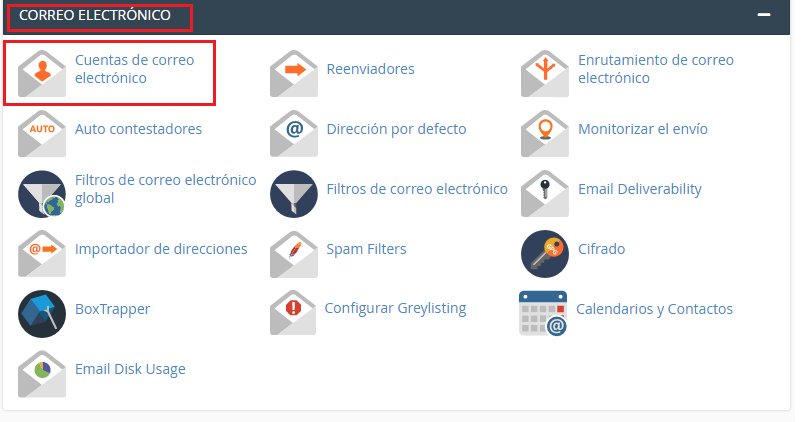
Access: log in to cPanel from the client portal → Log in to cPanel, or at https://yourdomain.com/cpanel. Then go to Email → Email Accounts.
Important: to receive mail, the domain must be delegated to the hosting DNS. If you registered it elsewhere and it does not point to this service yet, configure that delegation before testing sending. It is best to generate the password from cPanel and it must not contain accents or ñ.
Create the mailbox
- Log in to cPanel.
- Open Email → Email Accounts.
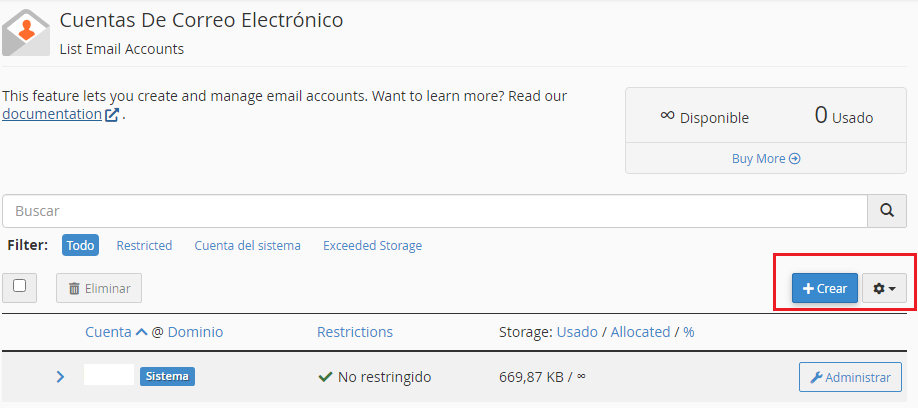
- Click on Create.
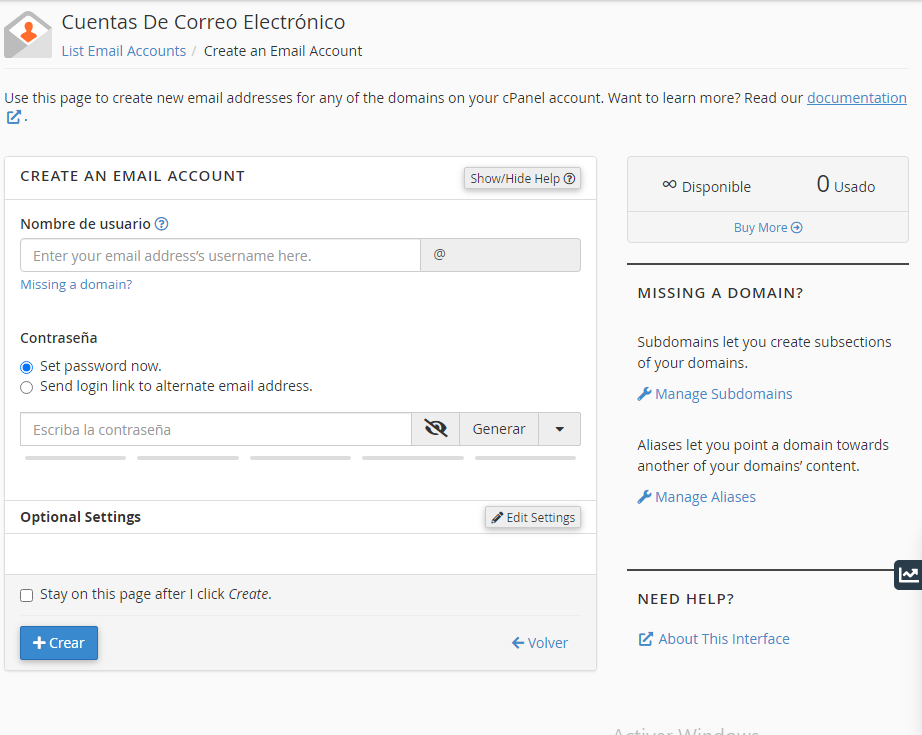
- Fill out the form:
- Username: the part before the
@. If there is more than one domain, choose which one to create the mailbox in. - Password: type it or use Generate.
- Password (again): repeat it if the form asks for it.
- Edit Setting: open it only if you want to change the mailbox space. That value must be less than the plan's free disk space. If you do not change it, the default value remains.
- Username: the part before the
- Click on Create.
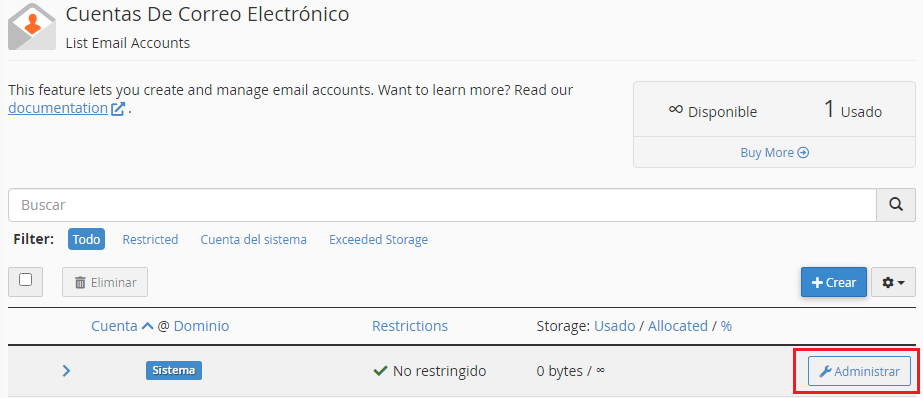
The mailbox is now in the list. You can now log in via Webmail or configure an email client with that address and password.
Delete the mailbox
- Go back to Email → Email Accounts.
- For the mailbox you want to delete, click on Manage.
- At the bottom of the screen, click on Delete Email Account.
- Confirm the deletion when cPanel prompts for it.
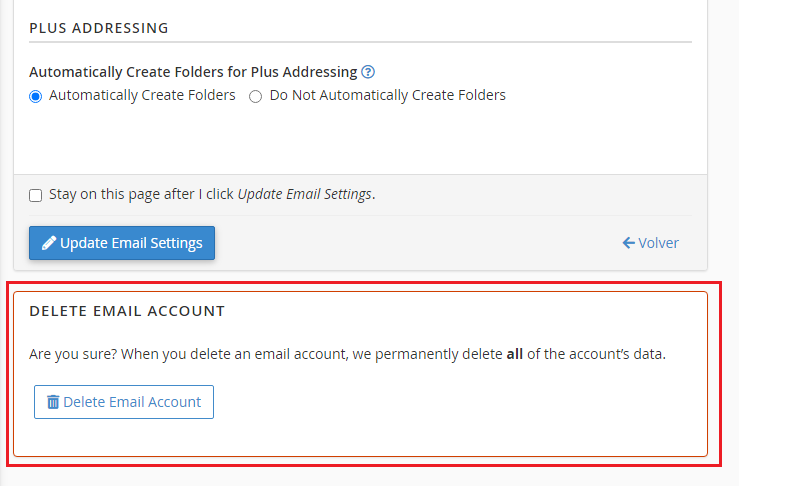
That address stops receiving mail. The messages that were in the mailbox are deleted with it. If you need it later, you have to create it again; the previous mail does not return.
Common issues
- The mailbox exists, but mail does not arrive: the domain is not delegated to the hosting DNS or the change has not propagated yet.
- I cannot create it: the plan's disk is full, or the domain does not appear in the account. Free up space or check that the domain is added to the hosting.
- Webmail or the client rejects the password: generate a new one, without accents or
ñ. - I deleted the mailbox and the sender keeps writing to that address: the message does not come in. Create the same address again if you want to receive mail there again.
- The mailbox quota is free and mail still does not come in: the entire hosting disk may be full. In that case, no mailbox receives mail until you free up space.
If the domain does not appear, the mailbox is not created, or mail does not arrive with the domain already delegated, open a ticket from the client portal or consult via the site's online chat.